
Honest Hour
Chrome extension that tracks real engagement for self-directed learners with voice alerts and focus blocking.
Demo video
What it does
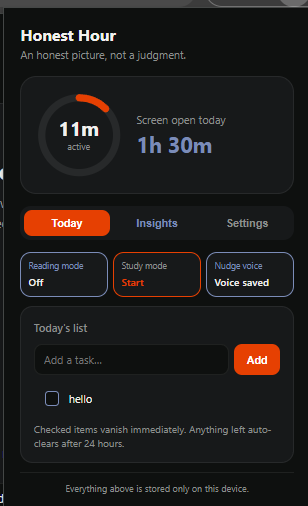
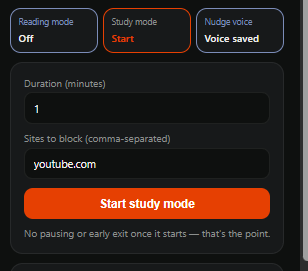
Honest Hour is a Chrome extension (Manifest V3) built for self-directed learners and students who struggle with productivity guilt. Instead of tracking passive screen-open time, it measures real engagement, blocks unproductive sites during focused study sessions, and uses gentle voice alerts (rather than standard notifications) to pull your attention back when you start doomscrolling or getting distracted on YouTube. It replaces self-blame with an honest, accurate "active X of Y hours" picture of your study day.
Inspiration
The idea came directly from personal experience with self-studying. Constantly feeling like "I wasn't doing enough" while frequently falling into the trap of YouTube rabbit holes and mindless doomscrolling was exhausting. Existing timers or blockers felt too rigid or didn't track true engagement. Honest Hour was born out of the need for an honest accountability tool that actually catches distractions in real-time, speaks up when you drift, and gives you peace of mind about how much you actually focused.
How we built it
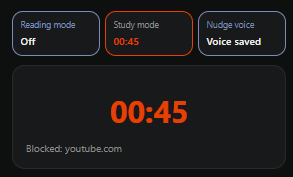
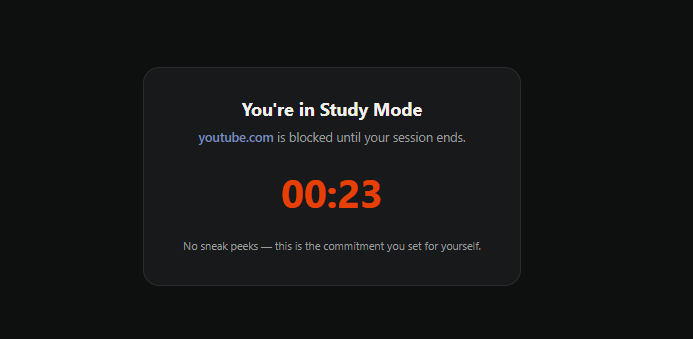
Honest Hour is engineered as a Chrome Extension using Manifest V3 and core web technologies (HTML, CSS, JavaScript) paired with a Python Flask server backend. Key technical components include: Site Blocking: Utilizing Chrome’s declarativeNetRequest API to securely block distracting domains during active study sessions. Engagement Tracking: Background and content scripts that monitor active user interaction, distinguishing between real productivity and idle background tabs. Voice Alerts: Offscreen audio handling to deliver real-time voice prompts that redirect user attention.
Challenges we ran into
Building a privacy-first, production-ready extension came with rigorous engineering hurdles (as detailed in our project audit log): Proving a Negative (Privacy): Ensuring our core claim—that zero user data ever leaves the device—required deep static analysis across all files to verify no unauthorized fetch, WebSocket, or external requests existed. Handling Broad Permissions: Justifying and structuring broad Manifest V3 permissions like <all_urls> and tabs specifically for real-time engagement tracking and Study Mode tab-reloading. Rule-Matching Security: Sanitizing user-inputted hostnames for the block list to prevent special filter characters (*, |, ^) from breaking or exploiting declarativeNetRequest syntax. Hidden File Artifacts: Uncovering and cleaning hidden metadata/attribution tags embedded inside icon binary files during deep-dive inspections.
What's next
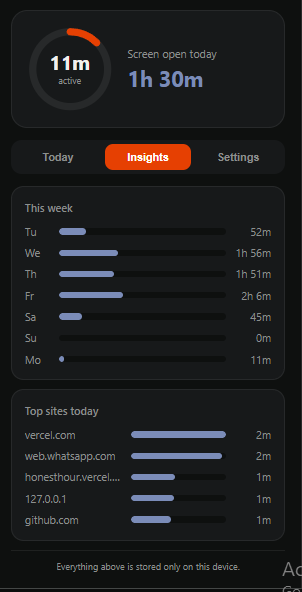
Proper Custom Modes: Allowing users to create and configure their own personalized modes (e.g., Study Mode, Deep Work, Fun Mode), where they can define custom timers and specific blocked-site lists. Advanced Analytics Dashboard: Expanding the user dashboard to provide deeper insights, productivity trends, and historical engagement breakdowns over weeks and months.
Screenshots
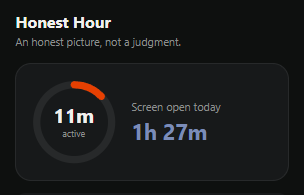
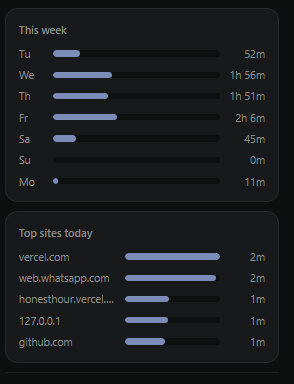
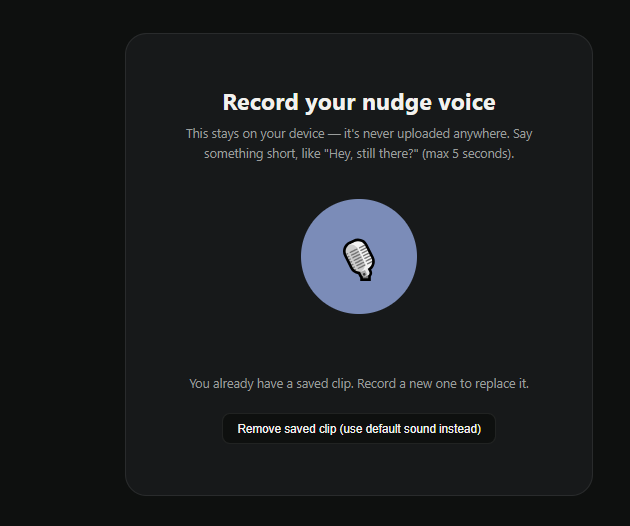
0 comments
Sign in to upvote this project or leave the team a comment.